When I bought my 2006 Volvo XC90 back in April 2024 with 251,000 miles (now sitting strong at over 266,000 miles as of September 2026!), one of the very first things I wanted to do was upgrade the ancient factory head unit.
Every Volvo forum I checked said the exact same thing: "It's impossible to upgrade the head unit on a P2 (2003-2014) XC90." Why? Because Volvo used its own proprietary, closed-source fiber-optic network—known as the MOST (Media Oriented Systems Transport) system.
I refused to give up. Searching on YouTube, I was thrilled to come across a video by a creator named Nick who proved it could be done! But there was a catch: the shop Nick recommended no longer sold units compatible with non-AUX XC90s. On top of that, even if your car had AUX, their setup cost around $500. That’s when I decided to piece together my own solution using components from AliExpress and Amazon—and today, you can get the entire system up and running (even without factory AUX) for under $200 total!
Best of all, the entire installation is completely plug-and-play. There is zero wire cutting involved, meaning you won't ruin any factory wiring harness, and the whole system can be 100% reversed back to the original stock setup whenever you decide to sell or restore the vehicle.
Before diving into what gear to buy, let me show you what the final setup actually looks like and why it is worth every penny. Once everything is wired up and installed, you get the best of both worlds: modern tech without losing any of Volvo's core factory safety features.
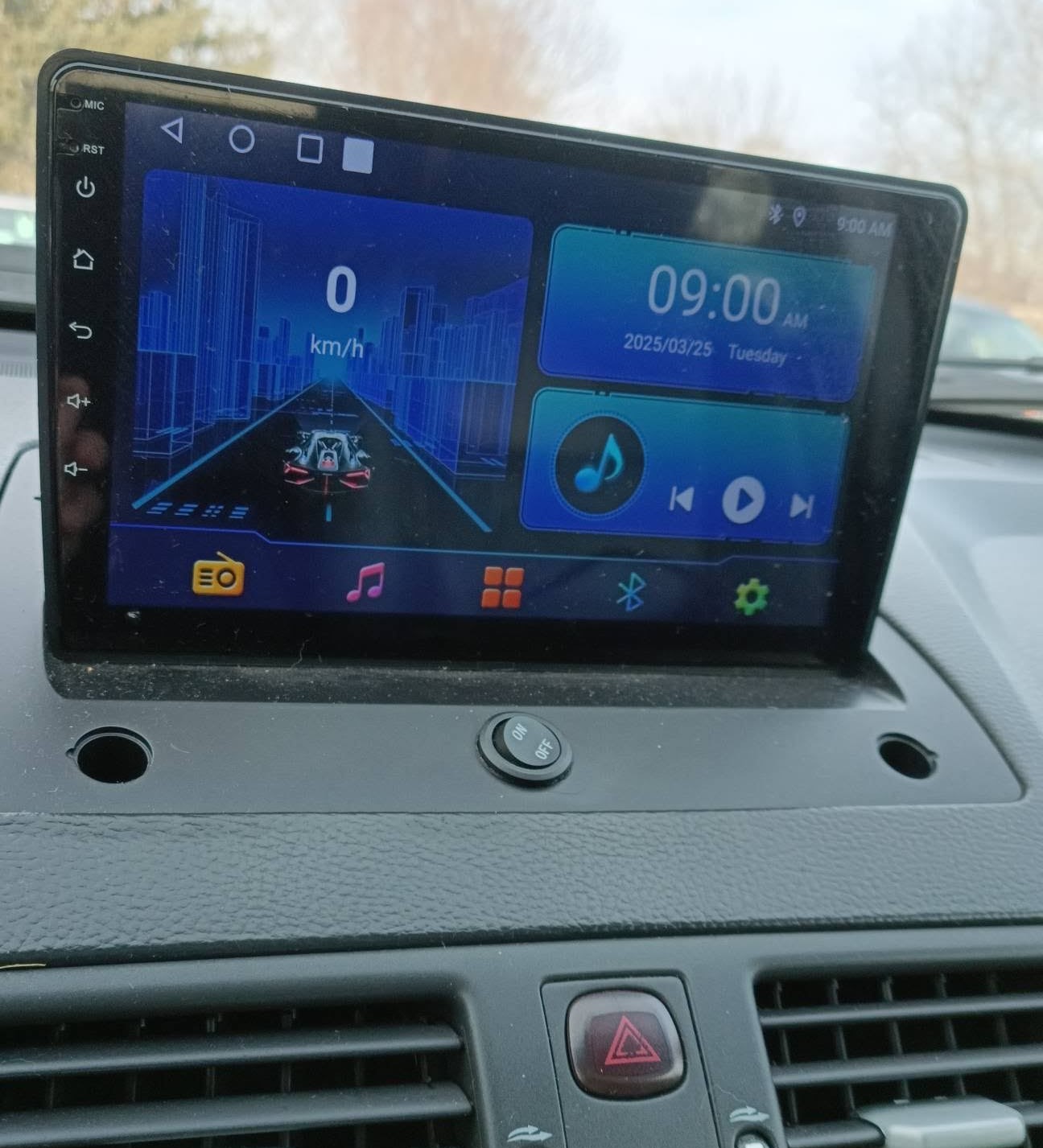
Retained Factory Features vs. New Upgrades
Original Volvo Features You Keep (No Sacrifices!):
- ✓ Steering Wheel Controls: Your original steering wheel buttons still work to control volume and media on the new Android head unit.
- ✓ Car Security & Warnings: Door-open warnings and key chimes continue working as normal.
- ✓ Original Volvo Radio: Still functions and plays audio, outputting sound through a single speaker.
New Capabilities Added by the Upgrade:
- + Apple CarPlay & Android Auto: Modern touchscreen navigation, call handling, and media streaming.
- + Backup Camera & Continuous Dash Cam: Real-time rear camera view and ongoing front dashcam recording directly on the display.
- + Standalone Android System: Wi-Fi connectivity with full access to the Google Play Store, YouTube, offline maps, and custom apps.
Now that you see what the unit can do, let's get into selecting the right equipment for your specific car. While I originally had to order parts from AliExpress, Amazon is now flooded with these head units. AliExpress takes weeks to ship, and returning items overseas is a major headache. Sticking with Amazon gives you fast domestic delivery, solid customer support, and easy returns.
Hardware Spec Tip: When choosing an Android head unit on Amazon, make sure to pick one with at least 4GB of RAM (usually paired with 64GB storage). Units with only 2GB RAM suffer from heavy lag and will give you a frustrating experience.
Does Your XC90 Have Factory AUX?
Before placing an order, turn on your factory radio and press the selector button to cycle through modes (FN1, FN2, CD). If you do NOT see "AUX", your car lacks a factory auxiliary input. In that case, you will need to add the special wiring harness listed below to make an Amazon head unit work with your car.
Parts & Equipment Shopping List
1. Android Head Unit (Amazon)
If your XC90 has factory AUX, this is all you need! If you don't have AUX, pair this unit with the harness below.
Note: Amazon may show a fitment warning saying this item is incompatible with XC90s without AUX. That is technically true on its own, but no problem—once you pair it with Item #2 below, it will work perfectly!
Shop Android Head Units on Amazon2. Special Wiring Harness (For Non-AUX XC90s)
Required if your car lacks factory AUX. Bypasses the fiber-optic limitation to connect Amazon head units directly without cutting wires.
Buy Wiring Harness on Amazon3. Radio Antenna Adapter
Aftermarket units do not include a radio antenna, so pick one up to retain AM/FM reception.
View Radio Antenna on Amazon Note: The plug on this antenna was slightly too long for my head unit space. Check out my plug modification guide if you hit clearance issues.Useful Video Guides & Tutorials
- Installation Guide: Watch Nick's Step-by-Step Installation Video for dashboard disassembly.
- Parking Assist Fix: Check out my video on How to Make Parking Sensors Work Again.
- Backup Camera Trick: Learn How to Keep the Rearview Camera On While Driving at highway speeds.
- Android Auto Fix: Watch my short on How to Disable Wireless Android Auto to stop random disconnections.
- Audio Quality Upgrade: Learn how to add more power in How to Add an External Amplifier.