If you have been following the path to deploying a Django app, you have likely stumbled upon a tutorial by Real Python, the undisputed giant of Python education. Their guide, Securely Deploy a Django App With Gunicorn, Nginx, & HTTPS, is a staple for anyone moving from development to a production server.
But here is the terrifying reality: that specific tutorial, originally published in 2021, with the word "securely" in its title, and still live in 2026, contains a configuration pattern so dangerously flawed that it could expose your entire project. Your source code, your environment configurations, your database passwords, your Django secret key—literally everything—is left wide open to anyone with a browser.
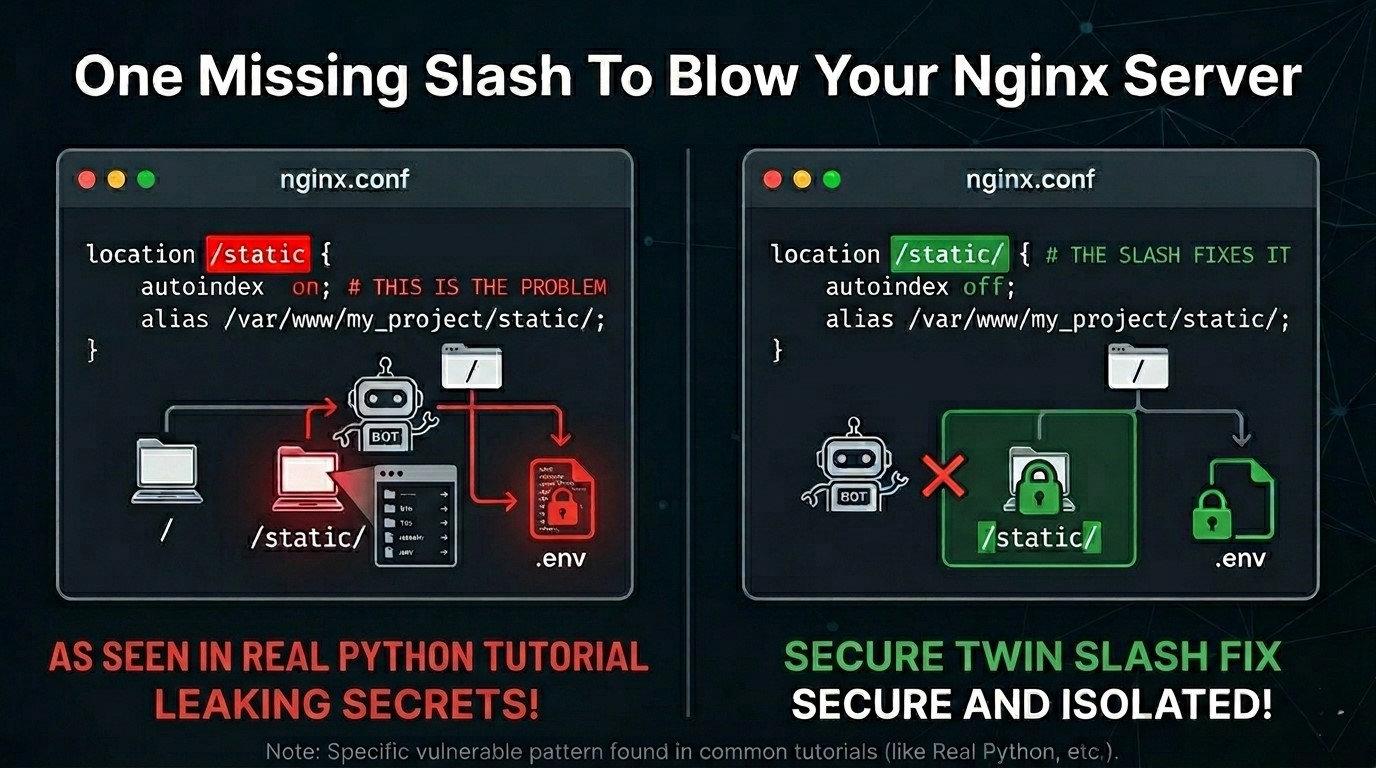
The Vulnerability: Orange Tsai’s 2018 Discovery
The flaw sits in a single, innocent-looking block of Nginx code. This technique was famously presented at Black Hat 2018 by security researcher Orange Tsai. Despite being a known critical risk for nearly eight years, the gold standard of Python tutorials still presents it as a secure way to deploy.
This is exactly how it is written in that tutorial:
location /static {
    autoindex             on;
    alias                 /var/www/supersecure.codes/static/;
}
This looks professional and organized, but it contains two massive security failures working in tandem.
1. The Traversal: The Off-By-One Slash
The first problem is the Alias Traversal bug. Because there is no trailing slash on location /static, Nginx interprets it as a simple string prefix rather than a closed directory.
How the Hack Works: An attacker sends a request for yoursite.com/static../.env. Nginx sees that /static matches the start of the URL and swaps it for your alias path. The resulting path on your disk becomes: /var/www/supersecure.codes/static/../.env.
The Linux file system resolves this to /var/www/supersecure.codes/.env. Your database credentials, secret keys, and API tokens are now downloaded by a bot in seconds.
2. The autoindex on Trap: The File Explorer
As if the traversal was not enough, the tutorial explicitly turns autoindex on. In a safe environment, autoindex just shows a list of your CSS files. But when combined with the traversal bug above, it becomes a visual map of your entire server.
- An attacker does not even have to guess the name of your .env file. They just visit yoursite.com/static../.
- Nginx will serve them a clickable list of your entire project directory.
- They can browse your source code and internal logic as if they were using a file manager on their own machine.
3. The Python Venv Mockery
Most Django deployments use a virtual environment folder, which the community decided to name venv. Let us be honest: venv is a terrible name. It sounds like a generic brand of decongestant. It is the Live, Laugh, Love of directory names—it is everywhere, it is boring, and in this specific scenario, it is a bullseye.
With autoindex and traversal active, that boring venv folder is no longer a private environment. An attacker can browse into it to see exactly what you have installed or grab your settings.py.
4. It is Not Just a Django Problem
While the Real Python tutorial is the most famous example, this is a global Nginx misconfiguration problem. It exists if you follow this pattern for any app: phpBB attackers jump out of /styles/ to grab config.php, and WordPress attackers jump out of /wp-content/ to grab wp-config.php.
The Twin Slash Fix
To fix the hole, you must be obsessed with consistency. If the location has a slash, the alias must have a slash. And for heaven's sake, turn the lights off.
location /static/ {
    autoindex off;
    alias /var/www/supersecure.codes/static/;
}
Final Safety Checklist
- Check your slashes: Ensure location and alias both end in a forward slash.
- Kill Autoindex: It should always be off in production.
- Grep your logs: Use the following command to see if you have been targeted:
sudo grep "\.\." /var/log/nginx/access.log
Ensure your .env file is set to chmod 600 so that even if Nginx misbehaves, it cannot easily read your secrets.